

Quick Endpoint Guide for Agents
EVM vs Solana: EVM endpoints use
chain_ids with numeric IDs (e.g., 1 for Ethereum, 8453 for Base). Solana endpoints use chains with string values (solana, eclipse, all).Use with LLMs
Complete Documentation for LLMs
For LLM applications such as custom agents, RAG systems, or any scenario requiring our complete documentation, we provide an optimized text file athttps://docs.sim.dune.com/llms-full.txt.
Per-Page Access
You can get the Markdown version of any documentation page by appending.md to its URL. For example, /evm/activity becomes https://docs.sim.dune.com/evm/activity.md.
Additionally, in the top-right corner of each page, you will find several options to access the page’s content in LLM-friendly formats:
- Copy Page: Copies the fully rendered content of the current page.
- View Markdown: Provides a URL with the raw Markdown source. This is ideal for direct input into LLMs.
- Open with ChatGPT: Instantly loads the page’s content into a new session with ChatGPT. Ask questions, summarize, or generate code based on the page’s content.
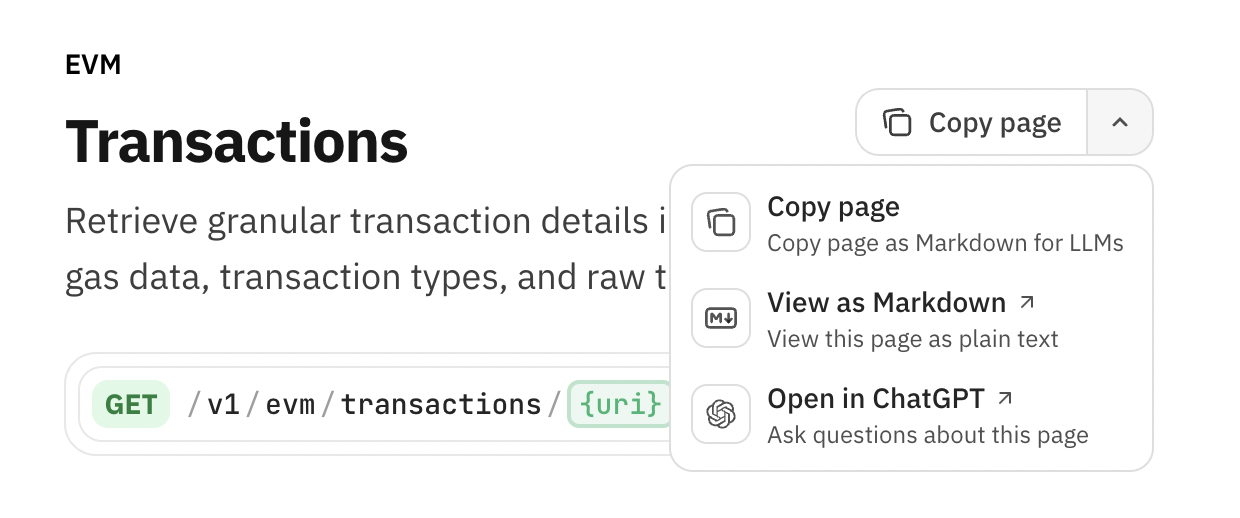
Copy the page, view raw markdown, or open with ChatGPT
⌘C or Ctrl+C to copy any page’s Markdown content.
Try it now.
OpenAPI Specifications
To help AI tools understand our API structure, we provide a consolidated OpenAPI specification covering all endpoints (EVM and SVM). This file details available parameters, request bodies, and response schemas, making it ideal for generating client code or for use in custom AI agents. You can find our OpenAPI specification here:- Full API specification:
/openapi.json
Add Docs to Cursor
To integrate our documentation directly into your Cursor editor for easy reference:- Go to Cursor Settings -> Indexing & Docs -> Add Doc.
- Enter
docs.sim.dune.comin the URL field. - Provide a name (e.g., “@simdocs”).
- Hit confirm. The documentation will sync automatically.
- Reference Sim APIs documentation by typing
@simdocs(or your chosen name) in your Cursor chat window.
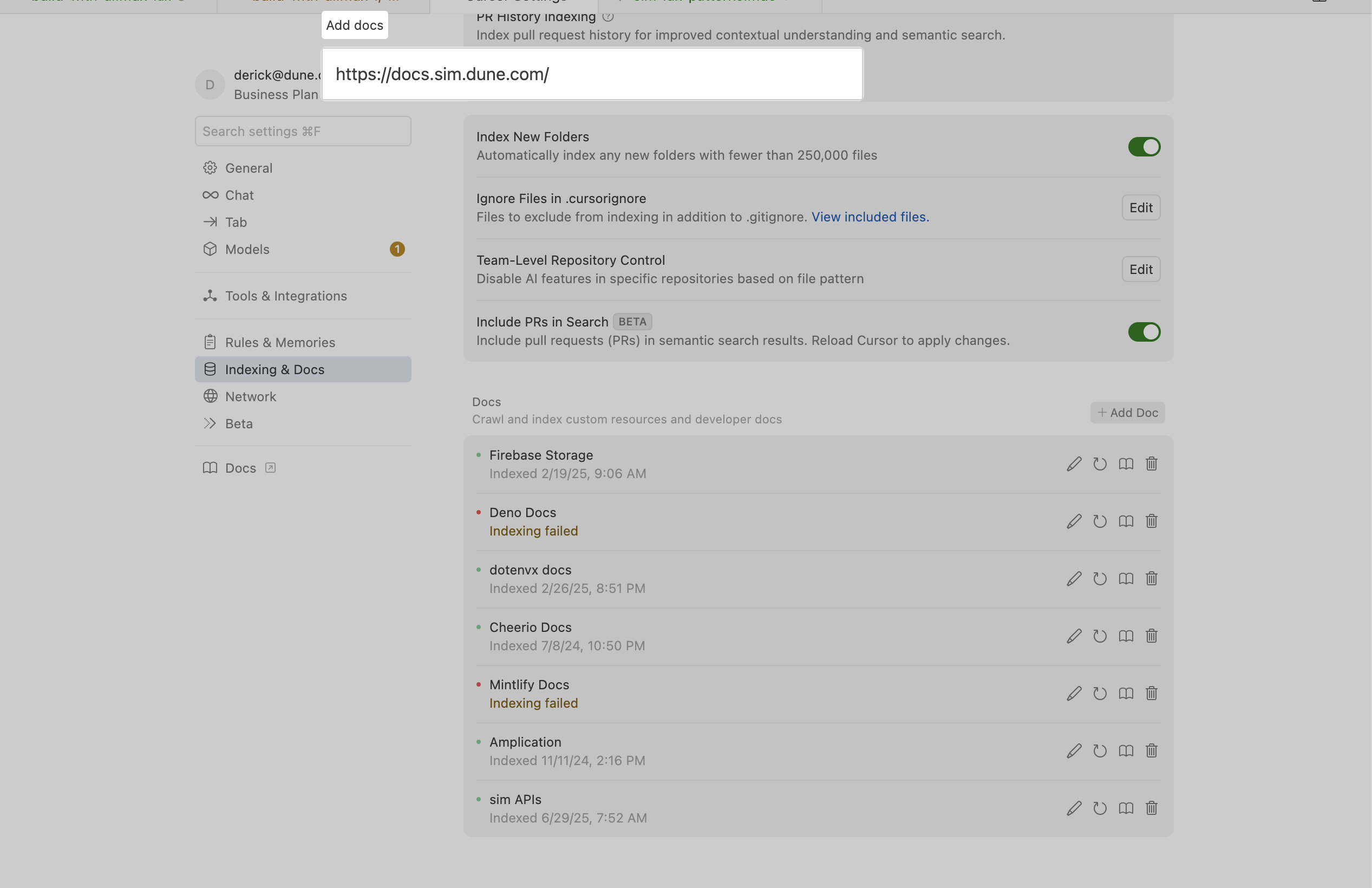
Add our docs to Cursor to use it in your chats
AI Search
To ask questions about our documentation, click the Ask AI button in the header of the site. This opens a chat interface, powered by Mintlify, that understands natural language queries. Ask questions about endpoints, authentication, or specific data points, and it will answer you with the most relevant, accurate information.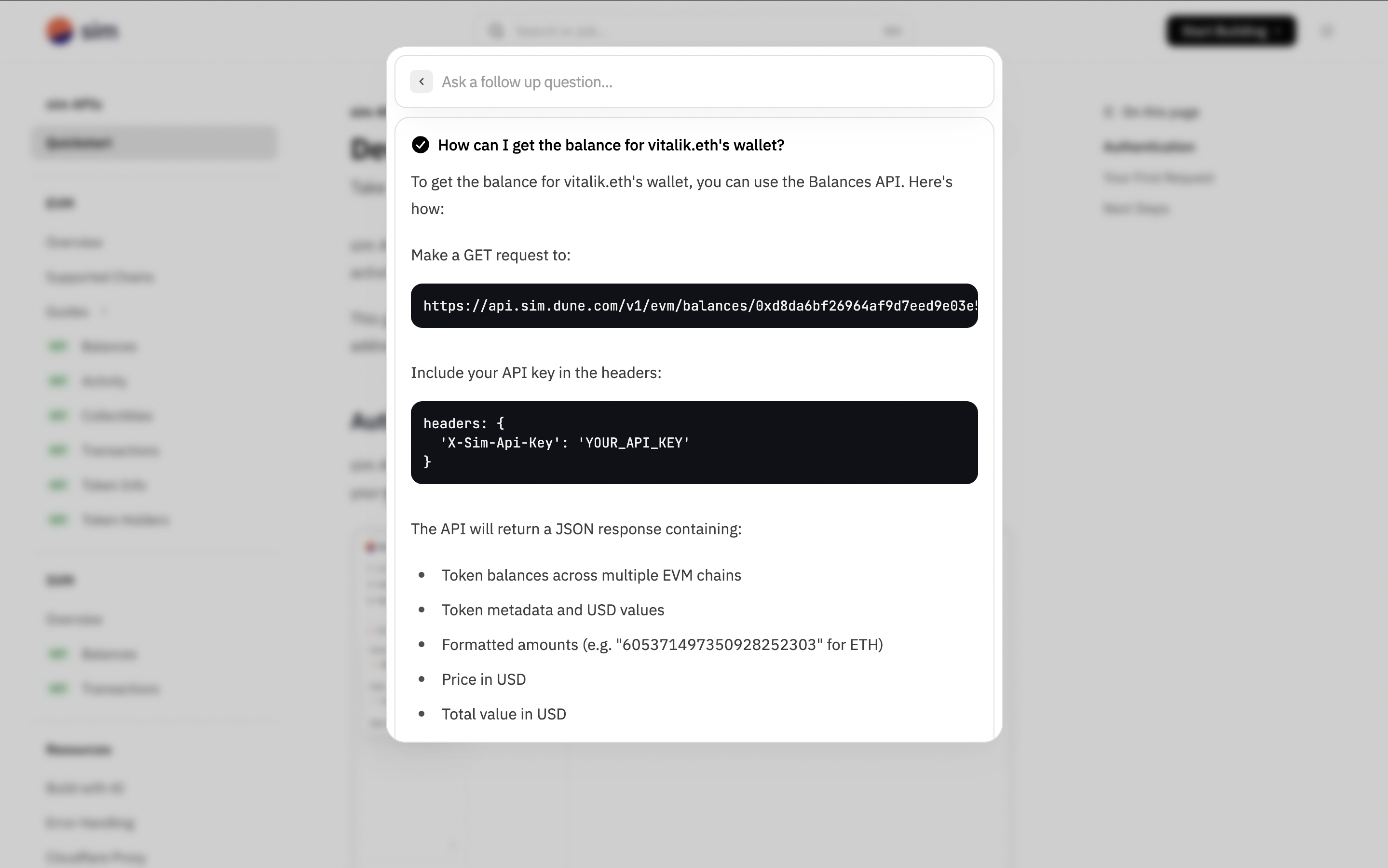
Click the Ask AI button in the header to start a conversation