

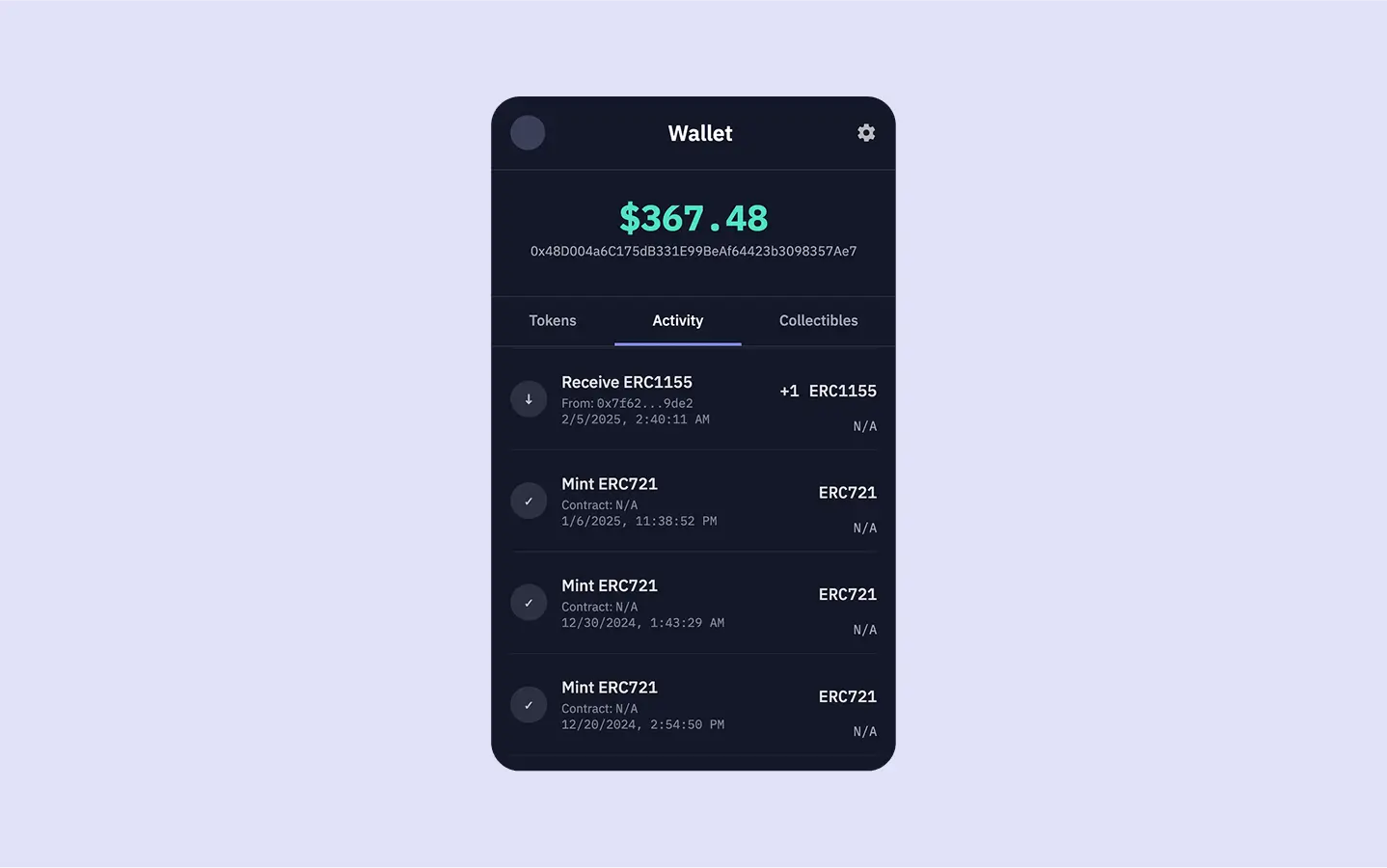
Show all onchain activity for a wallet address in the 'Activity' tab of our app.
View Source Code
Access the complete source code for this wallet on GitHub
Try Live Demo
Interact with the finished wallet app
This guide assumes you’ve completed the first guide, Build a Realtime Wallet.
Your project should already be set up to fetch and display token balances.
See It in Action
You can see the activity feed in action by trying the live demo below. Click on the “Activity” tab to explore transaction history for the sample wallet:Fetch Wallet Activity
Let’s start by adding a newgetWalletActivity async function to our server.js file to fetch activity data from Sim APIs.
server.js (getWalletActivity)
/v1/evm/activity/{address} endpoint, adding the limit as a query parameter.
The Activity API conveniently packages the transaction data within an activity array in the response.
The array provides rich context for each event, such as block_time, transaction_hash, from and to addresses, value, value_usd, and more.
The Activity API supports pagination via
offset and limit query parameters. For a production wallet, you might implement infinite scrolling or “Load More” buttons to fetch subsequent pages of activity.Add Activity into the Server Route
Next, modify theapp.get('/') route handler, add a call to getWalletActivity, and include its results in the data passed to res.render.
server.js (app.get('/') updated for activity)
app.get('/') route handler now handles fetching of both token balances and wallet activity.
Both the tokens and the newly fetched activities arrays are then passed to the res.render method.
This makes the complete dataset available to our wallet.ejs template, enabling it to populate both the “Tokens” and “Activity” tabs with relevant, realtime onchain information.
Show Activity in the Frontend
The final step is to update ourviews/wallet.ejs template to render the fetched activity data within the “Activity” tab.
CTRL+F for id="activity" and locate the section for the Activity tab.
It currently contains a placeholder paragraph.
Replace that entire div with the following EJS code:
views/wallet.ejs (Activity tab content)
- A list entry is generated for each transaction.
- An icon visually indicates the transaction’s nature: receive (↓), send (↑), or contract call (⇆).
- A descriptive title is dynamically constructed using the
activity.type(andactivity.function.namefor contract calls). - The transaction’s timestamp (
block_time) is converted to a readable local date/time string. - The chain ID (
chain_id) is displayed, providing important multichain context.
- The transaction amount (raw
value) is converted into a user-friendly decimal format (e.g., “1.5 ETH”). This conversion utilizes thedecimalsproperty fromtoken_metadata. - For NFTs, if a standard decimal value isn’t applicable, the template displays the
token_id. - The USD value (
value_usd), if provided by the API, is formatted to two decimal places and shown, giving a sense of the transaction’s monetary worth.
Restart your server by running
node server.js and refresh the app in the browser.
When you click on the Activity tab, you should now see a list of the latest transactions, similar to the screenshot at the beginning of this guide.